
Backside Printing refers to the identifying marks, colors, or directional symbols printed on the non-imaging side of transfer paper. In the heat press industry—particularly with brands like TheMagicTouch—this print serves as a critical technical guide for the user to ensure the media is loaded and processed correctly.
Read more
Why It Matters: Impact and Use
For professional garment decorators, a Backside Print is more than just branding; it is a built-in “fail-safe” that protects production margins by ensuring high-quality, consistent results.
- Error Prevention (Print Side Identification): One of the most common (and costly) mistakes in heat transfer is printing on the wrong side of the paper. The backside print serves as an immediate visual indicator that you should be printing on the opposite side.
- Product Identification: Many transfer papers look identical on the front. By using different colored backside prints, manufacturers allow users to instantly distinguish between media (e.g., paper for light vs. dark garments) without checking original packaging.
- Paper Path Accuracy: Certain transfer media are sensitive to grain direction or printer fuser paths. Backside arrows guide the operator on how to feed the paper into the bypass tray, preventing jams and ensuring optimal toner adhesion.
- Aesthetic Quality (The Exception): For specific products like TheMagicTouch ORD 8.1, the absence of a backside print is intentional. Since the carrier remains visible on the final substrate (like glass or acrylic), a plain back ensures a professional, “clean” finish.
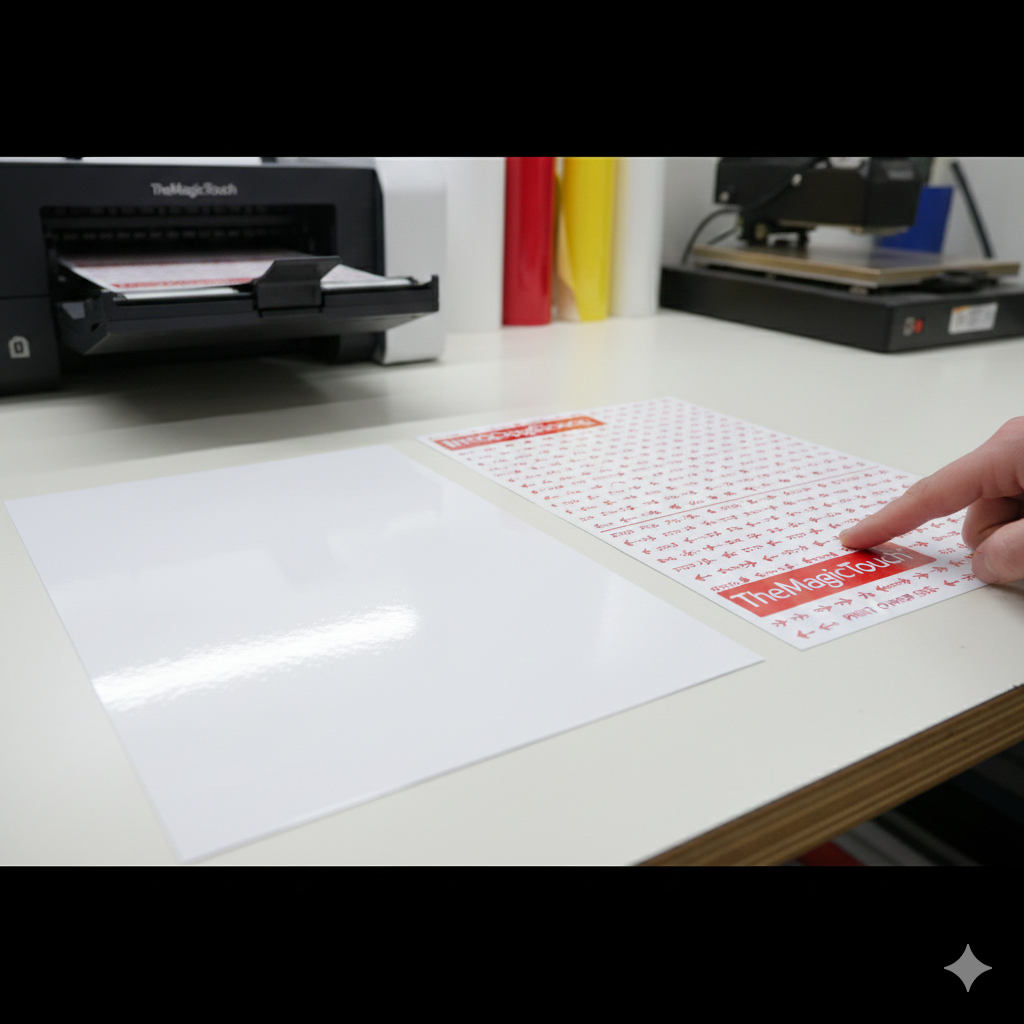
Technical Features of Backside Printing
| Feature | Technical Purpose | Impact on Workflow |
| Color Coding | Categorizes the transfer type (e.g., Blue for TheMagicTouch TTC 3.1, Orange for TheMagicTouch CPM 6.2). | Speed; reduces the need to reference spec sheets. |
| Directional Arrows | Indicates the required feeding orientation for the printer. | Prevents misfeeds and tracking errors in laser printers. |
| Instructional Text | Confirms the “non-print” side of the media. | Eliminates wasted media and printer maintenance from “printing on the glue.” |
Frequently Asked Questions
Why is there a print on the back of my transfer paper?
The print on the back helps identify the specific type of transfer paper, indicates which side is the non-printing side, and often provides directional arrows to ensure the paper is fed correctly into the printer.
Why are there arrows on the backside of some TheMagicTouch transfer paper?
Arrows indicate the desired paper path. This ensures the media travels through the printer in the correct orientation to prevent jams and ensure the heat from the fuser is applied according to the paper’s technical specifications.
To get the transfer paper with the correct paper path, on A4 printers, A4 is optimized for use with an A3 printer and A4R is optimized for use with an A4 printer.
Why does TheMagicTouch ORD 8.1 have no backside print?
TheMagicTouch ORD 8.1 is used for applications where the back of the paper remains visible on the final product. To ensure a smooth, professional finish without distracting marks, the backside is left blank.
 4.7
4.7




