
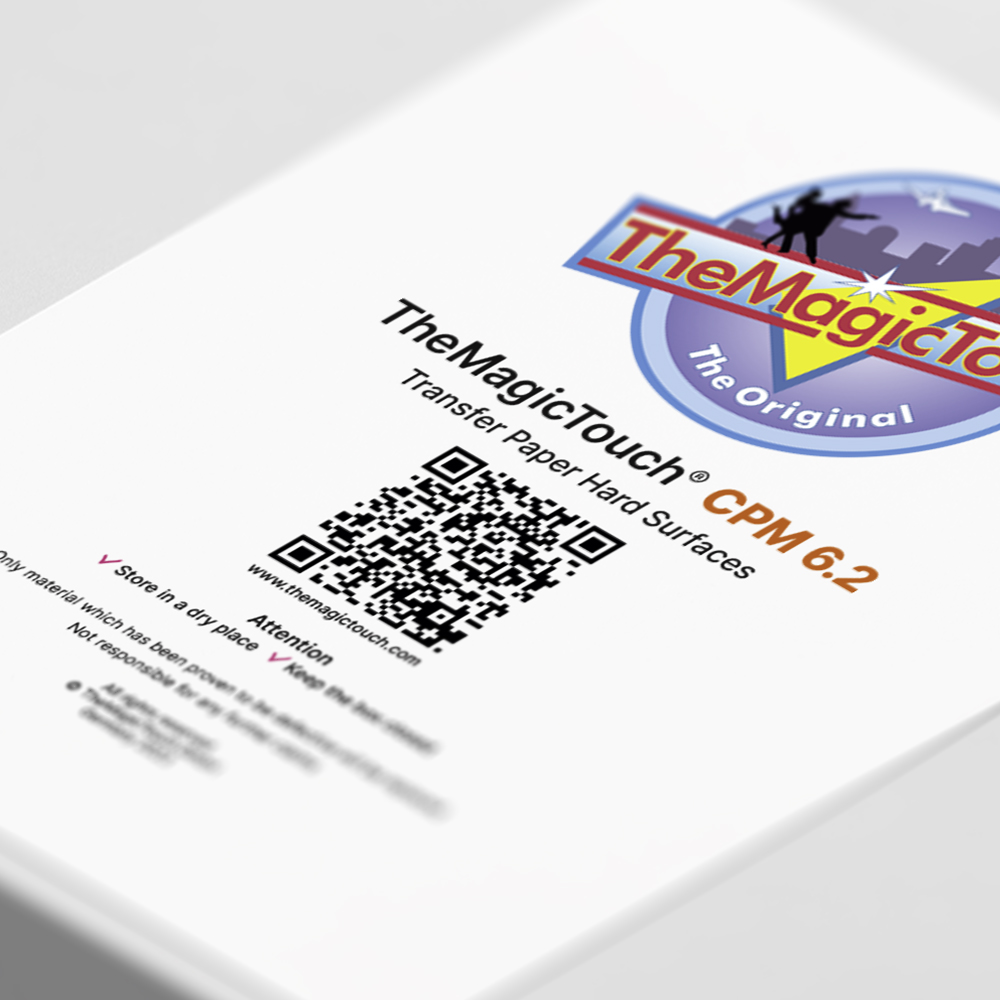
TheMagicTouch CPM 6.2



from €16,95
You save
per box
Unlock boundless creativity with TheMagicTouch CPM 6.2 – your single-step transfer paper for printing on a wide range of hard surfaces.
SKU: 90068
- Order by 4:00 PM for Next-Day Delivery*
- Pricing Agreements for Every Customer
- Free Shipping on all orders over 95,00*
- Rated 4.8/5.0 for Friendly, Expert Service
- 35+ Years of Proven Industry Expertise
Description
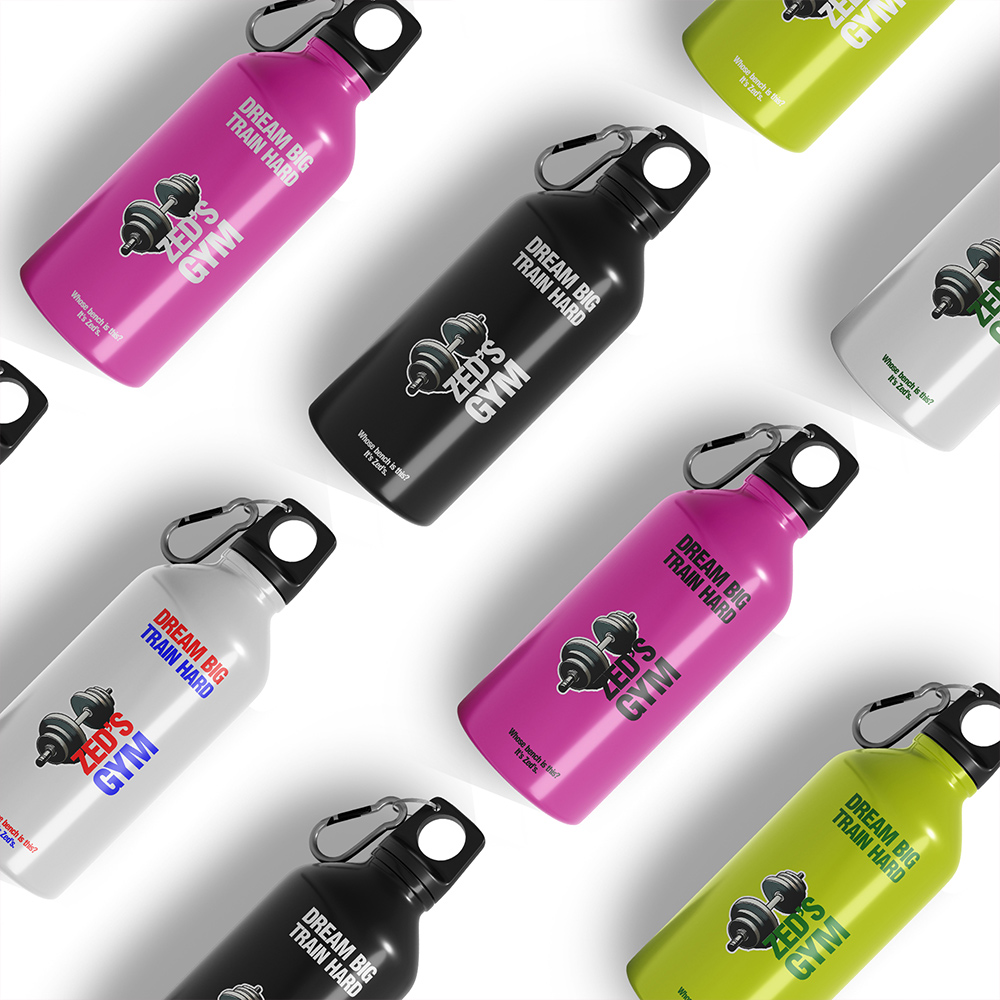
TheMagicTouch CPM 6.2 transfer paper offers a wide range of printing possibilities. It is compatible with hard, flat surfaces such as aluminum, beer mats, book covers, sheets, cardboard, notebooks, tiles, and mirrors when used with a heat press. Using a mug press, you can also print on mugs, cups, bottles, and jars. It leaves only the toner on the surface, resulting in a clean, stand-alone design. TheMagicTouch CPM 6.2 is optimized for use with color laser and LED printers on white and light coloured surfaces, using a white toner printer you can print on any color background.
Key features
- Suitable for many hard surfaces.
- Easy and fast processing.
- Compatible with color laser and LED printers on white and light colors.
- Any color background with a white toner printer.
- Perfect for producing custom promotional items, giveaways, and branded merchandise.
- Sheet materials can be protected with CoverSeal or finished with a gloss finish.
Printer compatibility
For A3 printers: Choose TheMagicTouch CPM 6.2 A4.
For A4 printers: Choose TheMagicTouch CPM 6.2 A4-R.
Specifications
| Weight | 1,5 kg |
|---|---|
| Dimensions | 43 × 22,5 × 2 cm |
| Sheet | |
| Printing technology | Laser / LED technology |
| Action | Single step paper |
| Certification | REACH (EC 1907/2006) en CLP Regulation (EC) |
| Color | Orange |
| Format | |
| Application |
Instructions
- Acrylic/Plexiglass 3 mm
Print: Mirror Image
Transfer: Face Down
TheMagicTouch T-Pad on top
Temperature: 170°C
Heatpress: High Pressure
Time: 30 seconds/rotate object 180°/30 seconds
Peel: Cold peel
Note: Overlap to avoid a borderprint
- Acrylic/Plexiglass 8 mm
Print: Mirror Image
Transfer: Face Down
TheMagicTouch T-Pad on top
Temperature: 170°C
Heatpress: High Pressure
Time: 60 seconds/rotate object 180°/60 seconds
Peel: Cold peel
Note: Overlap to avoid a borderprint
- Leather/PU leather
Print: Mirror Image
Transfer: Face Down
TheMagicTouch Application Sponge on top
Temperature: 140°C
Heatpress: High Pressure
Time: 30 seconds/rotate object 180°/30 seconds
Peel: Cold peel
Note: Overlap to avoid a borderprint
- Tri Dri Sliders
Print: Mirror Image
Transfer: Face Down
TheMagicTouch Application Sponge on top
Temperature: 140°C
Heatpress: High Pressure
Time: 45 seconds/rotate object 180°/45 seconds
Peel: Cold peel
Note: Overlap to avoid a borderprint
- Magnet foil
Print: Mirror Image
Transfer : Face Down
TheMagicTouch T-Pad on top
Temperature: 160°C
Heatpress: High Pressure
Time: 60 seconds/rotate object 180°/60 seconds
Peel: Cold peel
Note: Overlap to avoid a borderprint
- Notebook
Print: Mirror Image
Transfer: Face Down
TheMagicTouch Application Sponge on top
Temperature: 140°C
Heatpress: High Pressure
Time: 30 seconds/rotate object 180°/30 seconds
Peel: Cold peel
Note: Overlap to avoid a borderprint
- Glass Flat (10 mm)
Print: Mirror Image
Transfer: Face Down
TheMagicTouch T-Pad on top
Temperature: 170°C
Heatpress: Medium Pressure
Time: 60 seconds/rotate object 180°/60 seconds
Peel: Cold peel
Note: Overlap to avoid a borderprint
- Mirrors
Print: Mirror Image
Transfer: Face Down
TheMagicTouch T-Pad on top
Temperature: 170°C
Heatpress: Medium Pressure
Time: 40 seconds/rotate object 180°/40 seconds
Peel: Cold peel
Note: Overlap to avoid a borderprint
- Tiles
Print: Mirror Image
Transfer: Face Down
TheMagicTouch T-Pad on top
Temperature: 170°C
Heatpress: Medium Pressure
Time: 90 seconds/rotate object 180°/90 seconds
Peel: Cold peel
Note: Different tiles may affect the final result.
- Cardboard/Thick Papers
Print: Mirror Image
Transfer: Face Down
Temperature: 130°C
Heatpress: Medium Pressure
Time: 5 seconds /rotate object 180° / 5 seconds
Peel: Hot peel
Note: Overlap to avoid a borderprint
- Metal/Aluminium/Planchet
Print: Mirror Image
Transfer: Face Down
TheMagicTouch T-Pad on top
Temperature: 170°C
Heatpress: High Pressure
Time: 40 seconds/rotate object 180°/40 seconds
Peel: Cold peel
- Mugs for Laser
Print: Mirror Image
Transfer: Face Down
TheMagicTouch M-Pad on top
Temperature: Standby 140°C
Temperature: Press at 140°C
Mugpress HTP621: Medium Pressure
Time: 40 seconds
Peel: Warm peel
Note: Only use TheMagicTouch coated mugs.
- Cups
Print: Mirror Image
Transfer: Face Down
TheMagicTouch M-Pad on top
Temperature: Standby 140°C
Temperature: Press at 145°C
Mugpress HTP621: Medium Pressure
Time: 40 seconds
Peel: Warm peel
Note: Only use TheMagicTouch coated cups.
- Water Bottles
Print: Mirror Image
Transfer: Face Down
TheMagicTouch M-Pad on top
Temperature: Standby 140°C
Temperature: Press at 150°C
Mugpress HTP621: Medium Pressure
Time: 20 seconds
Peel: Warm peel
Note: Other bottles may affect the final result.
- Thermos Bottles
Print: Mirror Image
Transfer: Face Down
TheMagicTouch M-Pad on top
Temperature: Standby 135°C
Temperature: Press at 150°C
Mugpress HTP621: Medium Pressure
Time: 25 seconds
Peel: Hot peel
Note: Other bottles may affect the final result.
- Coffee to Go
Print: Mirror Image
Transfer: Face Down
TheMagicTouch M-Pad on top
Temperature: Standby 120°C
Temperature: Press at 125°C
Mugpress HTP621: High Pressure
Time: 25 seconds
Peel: Warm peel
Note: Other mugs may affect the final result.
- Travel Mugs
Print: Mirror Image
Transfer: Face Down
TheMagicTouch M-Pad on top
Temperature: Standby 120°C
Temperature: Press at 125°C
Mugpress HTP621: Medium Pressure
Time: 20 seconds
Peel: Warm peel
Note: Other mugs may affect the final result.
FAQ
1. Why do I have to rotate my object?This ensures that the transfer is proparly pressed into the surface on all sides, which is especially important when using heatpresses without optimal pressure distribution.
This ensures that the transfer is proparly pressed into the surface on all sides, which is especially important when using heatpresses without optimal pressure distribution.
2. What is the difference between A4 and A4-R?For A4 printers, TTC A4-R and A4XL are used. The added ‘R’ stands for ‘Reverse’. For A3 printers, TTC A3 and A4 are used.
For A4 printers, TTC A4-R and A4XL are used. The added ‘R’ stands for ‘Reverse’. For A3 printers, TTC A3 and A4 are used.
3. What is the difference between A4 and A4-XL?A4-XL is a special paper size designed for A4 OKI printers. It is slightly wider than A4 and has the length of A3. The dimensions are 220 x 420 mm.
A4-XL is a special paper size designed for A4 OKI printers. It is slightly wider than A4 and has the length of A3. The dimensions are 220 x 420 mm.
4. Can TheMagicTouch CPM 6.2 also be used for outdoor applications?The toner from a laser printer is not inherently UV-resistant. By using TheMagicTouch coverseal, you can make the product UV-resistant.
The toner from a laser printer is not inherently UV-resistant. By using TheMagicTouch coverseal, you can make the product UV-resistant.
5. Can I also print on colored blank products?With a standard color printer, you can print on white and light-colored products. With a white toner printer, you can print on all colors.
With a standard color printer, you can print on white and light-colored products. With a white toner printer, you can print on all colors.
6 reviews for TheMagicTouch CPM 6.2
You must be logged in to post a review.
You may also like…
-
 In stock
TheMagicTouch Application Sponge
from €1,25
You save -
-25%In stock
TheMagicTouch GlossFinish
Original price was: €49,00.€36,75Current price is: €36,75. per box -
-25%In stock
TheMagicTouch Coverseal
Original price was: €89,00.€66,75Current price is: €66,75. per box -
TheMagicTouch T-Pad
from €19,95
You save per piece
Related products
-
In stock
TheMagicTouch DCT 4.5 – Decal Transfer
from €24,95
You save per box -
In stock
TheMagicTouch ORD 8.1
from €15,00
You save per box -
In stock
TheMagicTouch Sticker SPF 20 White Gloss
from €21,95
You save per box -
New PopularIn stock
TheMagicTouch WTT White Toner Transfer
from €19,95
You save per box

Every Printing Technique explained.
Everything about printing techniques in one place. Discover the latest innovations, gain fresh inspiration, and receive personal advice. Handy tips and insights get you started right away.

 4.8
4.8




henk groot –
This transfer paper is super easy to use and meets all my requirements. No dropouts or jams in the printer, even with frequent use of the transfer paper.
By this I mean printing 50 sheets or more in a row.
Also when transferring to various materials no problems good adhesion to material.
And what I think is most important is the service of TheMagicTouch. Good explanation and support top.
Diny de Fouw –
Super product, nice to work with, very happy with it!
Royal Nail Products –
Fine paper with a nice end result, highly recommended for coffee mugs!
CNJ van Luyt – de Wild –
Product is fine, only a pity about the steps in the available quantities (sheets), from 25 to 100 pieces, 50 pieces should also be included, and between 100 and 500 pieces there may be more steps for that small price difference, e.g. 150, 200, 250 etc.
CNJ van Luyt – de Wild –
Good product, only a pity about the steps in the available quantities (sheets), from 25 to 100 pieces, 50 pieces should also be included, and between 100 and 500 pieces there could be more steps for that small price difference e.g. 150, 200, 250 etc.
triesies –
Superfijn om mee te werken, prachtige kleuren overdracht.