
Banding refers to a print quality defect characterized by unwanted, consecutive horizontal or vertical lines or “stripes” across a printed image. In the context of sublimation and heat transfer printing,
Read more
Why It Matters: Impact and Use
In the professional garment decoration industry, identifying and resolving banding is critical for maintaining high production standards.
- Printer Longevity: Frequent banding is often a symptom of poor maintenance. Addressing it early prevents permanent damage to expensive print heads.
- Waste Reduction: Banding is a leading cause of “spoiled” transfers. If banding is not caught on the paper stage, it will transfer permanently to the substrate (t-shirt, mug, or plate), resulting in a total loss of materials.
- Color Accuracy: Even subtle banding can shift the color profile of a design, making a solid brand color look inconsistent or “faded” in sections.
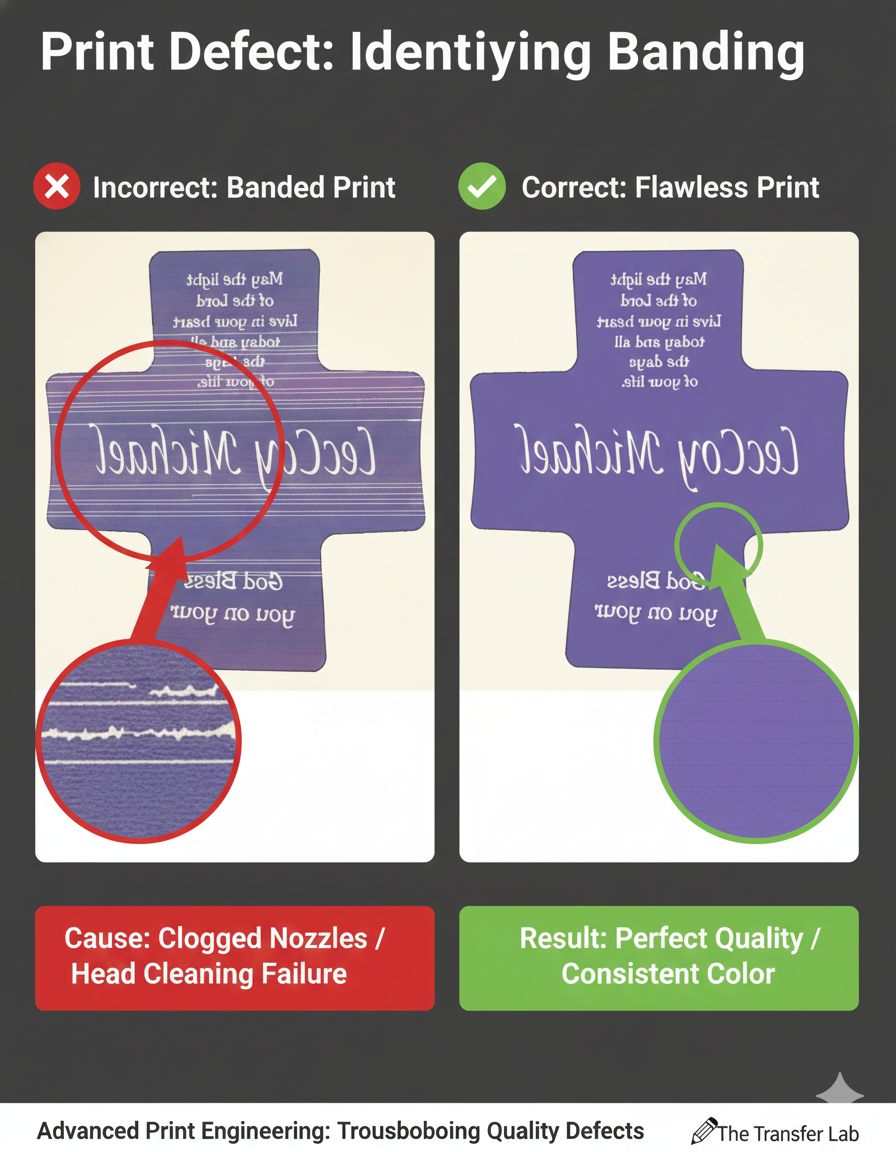
Technical Causes and Solutions
Banding is most common in inkjet-based systems like Sawgrass or Epson sublimation printers. Understanding the mechanics helps in quick troubleshooting:
| Cause | Technical Explanation | Resolution |
| Clogged Nozzles | Dried ink prevents specific nozzles from firing, leaving “gaps” in the print. | Perform a Nozzle Check and Head Cleaning cycle. |
| Misalignment | The print head is not perfectly calibrated with the paper feed (Bi-directional alignment). | Run the printer’s Print Head Alignment utility. |
| Media Settings | The paper type in the software doesn’t match the actual paper, leading to incorrect ink volume. | Update the PowerDriver or Print Manager settings to the correct substrate. |
Frequently Asked Questions
What causes banding in sublimation printing?
The most common cause of banding is clogged nozzles in the print head. When ink dries inside the tiny nozzles, it prevents a continuous flow of ink, resulting in white or discolored stripes across the print.
How can I fix banding on my printer?
Most sublimation printers have built-in maintenance utilities. You should perform a ‘Nozzle Check’ to identify the clog, followed by a ‘Head Cleaning’ or ‘Power Clean’ cycle to clear the blockage.
Should I turn off my sublimation printer to save energy?
No. It is recommended to leave printers like Sawgrass on at all times. They are designed to enter a low-energy sleep mode and will automatically perform self-cleaning cycles to prevent banding and nozzle clogs.
 4.7
4.7




