
Face Down refers to the orientation of a substrate—such as transfer paper, film, or vinyl—where the active, printable “face” of the media is positioned against a surface, leaving the back or carrier side visible.
Read more
Why It Matters: Impact and Use
Correct media orientation is a fundamental skill in a production environment. Misinterpreting “Face Down” instructions is the leading cause of wasted materials and printer maintenance issues.
- Mirror Imaging: “Face Down” applications almost always require the digital file to be Mirror Imaged (flipped horizontally) during the design phase so that the final result reads correctly once flipped over and pressed.
- Printer Loading: Every printer has a specific paper path (C-path, straight-through, or L-path). Understanding whether your printer pulls from the top or bottom of the stack determines if you should load your transfer paper face down to ensure the ink hits the coated side rather than the plain paper backing.
- The Transfer Process: Many transfer systems, such as TheMagicTouch TTC 3.1 or DTF transfers, require the printed image to be placed face down against the substrate. Placing it face up in these instances will result in the design bonding to the heat press plate instead of the item.
- Coating Identification: High-quality media often has a “frosted” or “glossy” face and a matte back. Loading these face down in a printer that expects face up will cause the ink to sit on the surface without drying, leading to smearing and potential damage to the printer’s internal rollers.
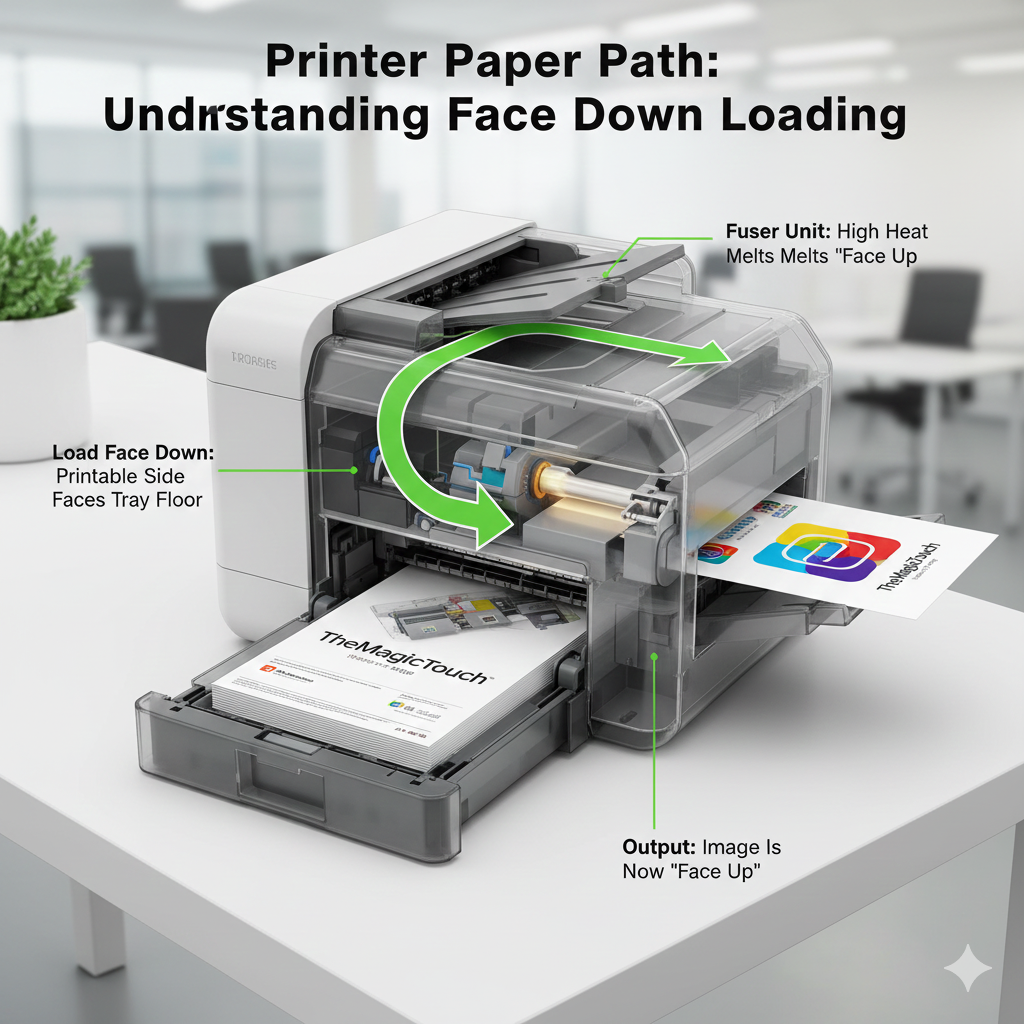
Comparison: Face Down vs. Face Up
| Context | Face Down | Face Up |
| Printer Loading | The coated side is facing the bottom of the tray. | The coated side is facing the ceiling. |
| Heat Pressing | The printed ink is in direct contact with the garment. | The carrier/backing is in contact with the garment. |
| Visual Result | You see the back of the paper/film. | You see the design clearly. |
Frequently Asked Questions
How do I know which side is the ‘face’ of my transfer paper?
The ‘face’ is usually the side with a specialized coating. You can identify it by looking for a slight gloss, a ‘frosted’ texture, or by doing the ‘nick test’—lightly scratching a corner to see which side shows a coating. Some brands also print a grid or logo on the back to make it easier.
What happens if I print on the wrong side of the paper?
If you print on the back (non-face) side, the ink will not bond properly. This can cause the ink to run, smear inside your printer, or fail to transfer to the garment entirely during the heat press stage.
Does ‘Face Down’ mean I need to mirror my design?
In most cases, yes. If the design is placed face down onto a garment, it must be printed in reverse (mirror image) so that it appears correctly when viewed from the front after the transfer is complete.
 4.7
4.7




