
Face Up refers to the orientation of a substrate—such as transfer paper, DTF film, or printable vinyl—where the active, coated, or printable side (the “face”) is directed toward the user or the print head. In a printer tray,
Read more
Why It Matters: Impact and Use
Correct orientation is a foundational skill in digital printing. Misunderstanding “Face Up” instructions often results in failed prints, damaged equipment, or ruined garments, which impacts your production efficiency.
- Non-Mirrored Workflows: Unlike “Face Down” transfers that require mirror imaging, some Face Up application methods (like certain self-adhesive vinyls or “Print & Cut” heat transfers) allow you to print the design exactly as it will appear on the final product.
- Print Head Precision: In most wide-format and many desktop inkjet printers, the ink is sprayed from above. Loading your media Face Up ensures the ink lands on the specialized chemical coating designed to absorb it, rather than the non-porous backing.
- Adhesive Application: In DTF (Direct to Film) printing, the film must remain Face Up as it passes through the powder shaker and curing oven. This ensures the adhesive powder lands directly on the wet ink to form a proper bond.
- Surface Identification: Many professional transfer papers have a subtle difference between sides. The “face” often has a specific texture (matte, gloss, or frosted) or a chemical primer. Printing on the wrong side can lead to “ink pooling,” where the ink never dries and smears across the rollers.
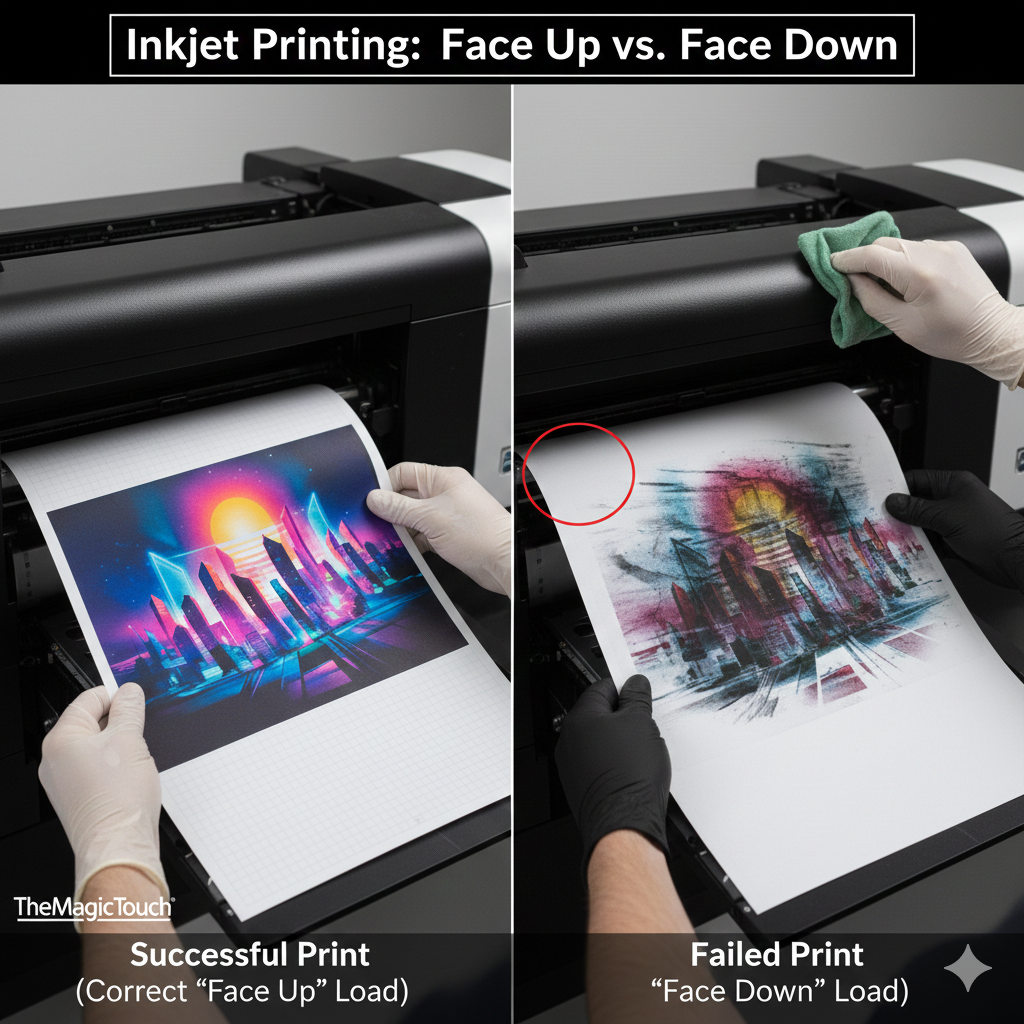
Comparison: Face Up vs. Face Down
| Feature | Face Up | Face Down |
| Visibility | You can see the coating/design. | You see the carrier/backing paper. |
| Printer Loading | Coated side faces the print head. | Coated side faces away from the print head. |
| Design Setting | Usually printed as seen (Positive). | Usually requires Mirror Image (Negative). |
Frequently Asked Questions
How do I determine which side is ‘Face Up’ on my media?
The ‘Face’ is the side with the functional coating. In most cases the backing is marked. In the situation where the backing is unmarked, you can define the coated (Face) side from the backing by reflecting light on the surface. The uncoated side looks like smooth plain paper.
What happens if I print ‘Face Up’ when the printer expects ‘Face Down’?
The printer will apply ink or toner to the backing paper instead of the transfer coating. This results in the design not sticking, potential ink smearing inside the printer, and a failed transfer during the heat press stage.
Does ‘Face Up’ always mean the design shouldn’t be mirrored?
Not always, but generally yes. Face Up usually refers to the side you are looking at being the final appearance. However, always check the specific instructions for your transfer media brand, as some specialty films may vary.
 4.7
4.7




