
Direct-to-Film (DTF) is a popular choice for creating textile transfers. But did you know there are special accessories that can speed up your DTF workflow even further? In this article, we’ll discuss several useful tools and materials that will help you produce large quantities of transfers quickly and efficiently.
Maintenance
Place the DTF Magic Printer Pro 30 in a dust free environment with enough ventilation but not too much draft. Please be aware the best working environment is a room temperature between 18°C and 25°C and a relative humidity from 35 till 60%. The DTF Magic Printer Pro 30 must be place on a stable table or surface to avoid the printer to move when printing.
Daily Maintenance
Empty waist tank
Fill ink tanks
Consumables Replacement
With time and usage of DTF Magic Printer Pro 30 there are consumable parts that need to be replaced. We can only support you if you are using our replacements.
- Capping station and whipper replacement
When used in normal circumstance they have a life time of 3 till 6 months.
- Printhead Replacement
Note: When replacing the head also replace the capping and dampers to avoid damaging your new print head.
- Waist pomp Replacement
When used in normal circumstance they have a life time of 6 till 12 months.
- Damper
When used in normal circumstance they have a life time of 3 months
Note: The dampers are fragile do not touch the sides.
- Ink Filter (Butterfly Filter)
When used in normal circumstance they have a life time 3 till 6 months
Troubleshoot
Unfortunately there is always a change on printing issues as ink jet is a sensitive printing system.
Meaning if your print does not come out the way you would expect please check the following.
Nozzles
Bad nozzles
When lines are showing in your image it means you’re missing nozzles.
In your Print Exp you can click on Check, the printer will print a pattern.
Note: Make sure there is DTF film inside the printer and use a dark background to check you white channels
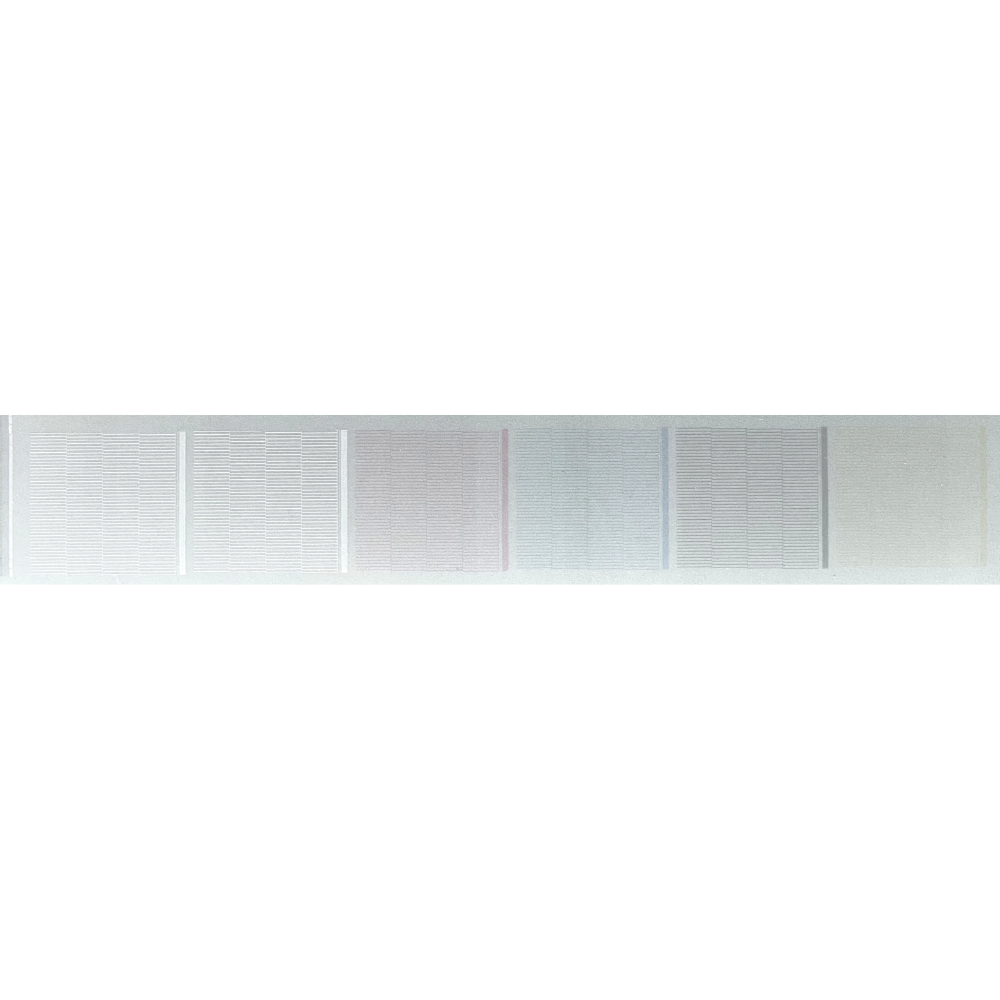
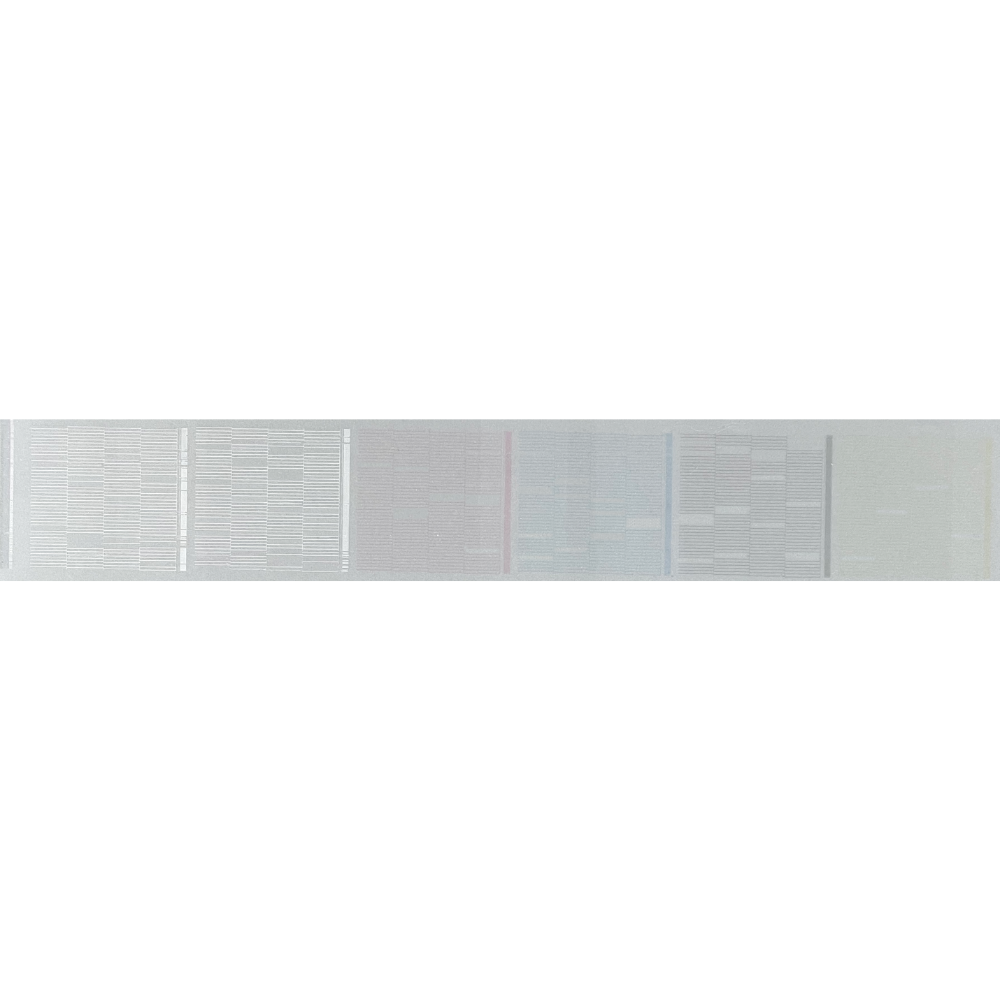
There are some actions you can take to make it better.
- Clean whipper and capping station and do a strong cleaning
- Check for air bubbles in the ink lines
- Wet cap
- Soak towel and clean head
- Check the vacuum of the capping station including waist ink lines
Colors
- Check if the correct color profile is used in DTF Magic Software Lite.
- Check nozzles
- Check is ink lines are clean no contamination in the ink lines or dampers
If so run a couple of strong cleaning cycle in PrintExp.
Or make a file with Colored squares to clean channels
(Picture) Test print
Lines
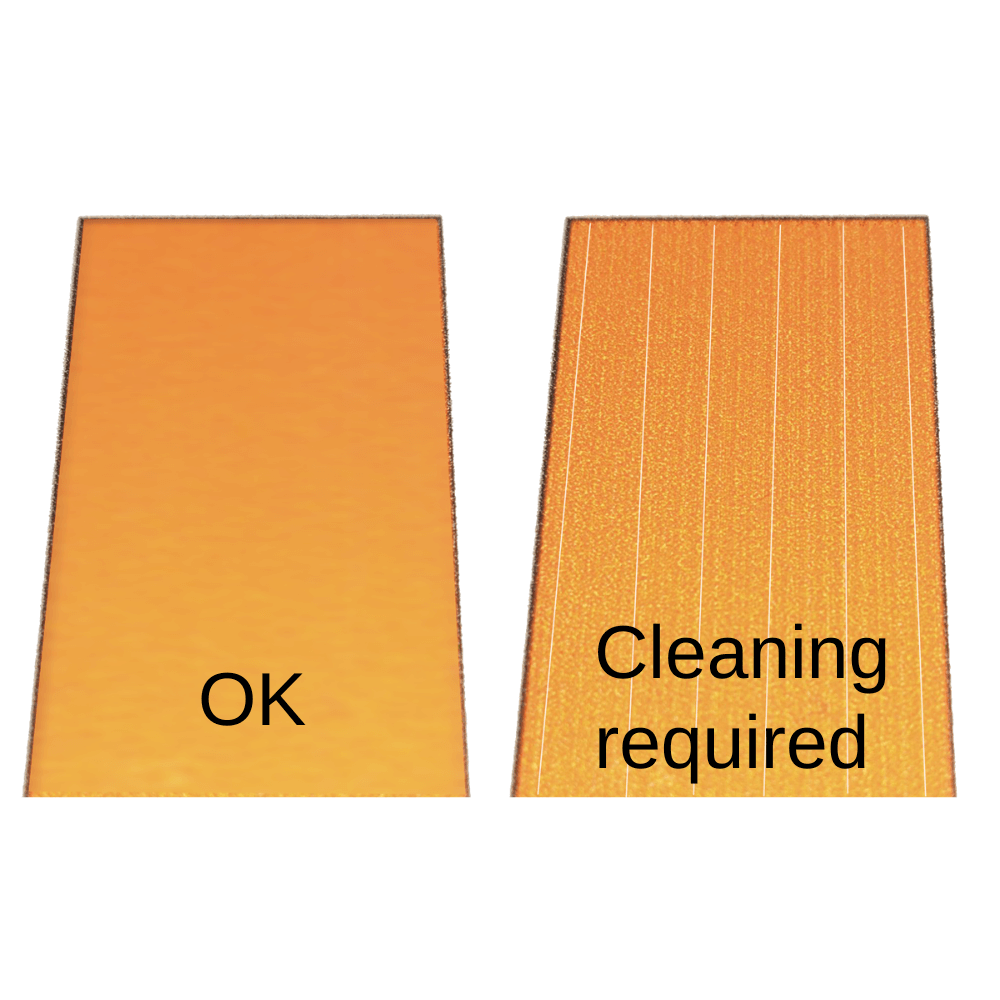
- Check nozzles
- Check for air trapped in lines
- Capping station position
White registration
- Check nozzles
- Check registration of the print head (4. Software, Print Exp, Adjust)
Software
To use the printer you need two pieces of software DTF Magic Software Lite and PrintExp.
Those two programs give you control over your DTF Magic Printer Pro 30, print jobs and artwork.
To get the most out of the DTF Magic Printer Pro 30 we recommend to follow the tutorials.
DTF Magic software Lite
Print Exp
Warranty
To ensure the optimal performance and longevity of your DTF printer, the following warranty and support conditions apply:
4.1 Warranty & Technical Support
We only provide warranty and technical support for this DTF printer if all of the following conditions are met:
A. Use of Original Consumables
The following consumables must be purchased exclusively through us:
- DTF Ink
- Cleaning solution
- DTF film
- DTF Powder
B. No Warranty or Support When Using Third-Party Products
Using consumables (such as ink, film, or cleaning fluids) from third parties may cause damage or malfunctions. In such cases, the following will immediately be void:
Any form of warranty on the printer or its components
Registration & Maintenance
The printer must be properly registered. Periodic maintenance, as advised by us, must be carried out in a timely and proper manner.
Why these conditions?
DTF printers are sensitive systems where the quality of consumables has a direct impact on performance and durability. By exclusively using our carefully selected and tested products, we can:
- Ensure consistent and reliable printer performance
- Provide effective support and warranty service when needed
- For questions or to order original consumables, please feel free to contact us.
Conditions
DTF printers are sensitive systems where the quality of consumables has a direct impact on performance and durability. By exclusively using our carefully selected and tested products, we can:
- Ensure consistent and reliable printer performance
- Provide effective support and warranty service when needed
- For questions or to order original consumables, please feel free to contact us.
 4.7
4.7




