
Looking to create eye-catching, professional custom apparel with a striking 3D pop and dazzling sparkle? Say hello to MagiCut Puff Glitter HTV — the ultimate game-changer in heat transfer vinyl.
Read more
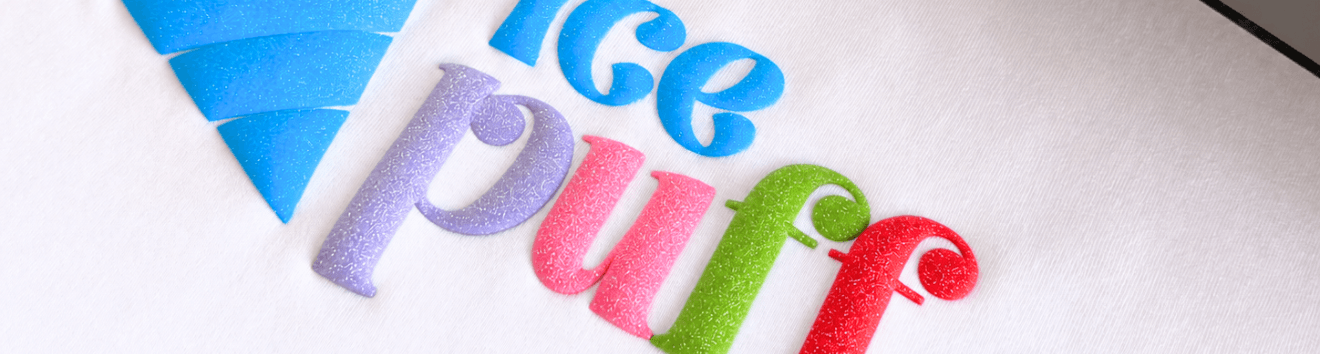
Unlike traditional flat flex vinyl, MagiCut Puff Glitter expands under heat to deliver a soft, raised 3D texture packed with vibrant glitter particles. In this comprehensive guide, you’ll discover everything you need to know about working with MagiCut Puff Glitter, exact cut settings for major plotters, press instructions, and our 5 exclusive glitter colors.
1. What is MagiCut Puff Glitter HTV?
MagiCut Puff Glitter combines two of the most popular effects in garment decoration: an expanding 3D puff texture and an intense glitter finish. When cutting and weeding, the material feels smooth and flat. As soon as heat and pressure are applied with a heat press, the thermal layer activates, swelling into a soft, dimensional design embedded with fine glitter flakes.
Key Benefits:
- Tactile 3D Volume: Adds depth and dimension to hoodies, t-shirts, sweatshirts, and tote bags.
- Intense Sparkle: High-density glitter flakes catch light from every angle.
- Easy Weeding: Cuts clean and weeds smoothly on standard cutting plotters.
- Durable Quality: Holds its dimensional puff shape wash after wash.
2. Our 5 Exclusive Colors Up Close
We offer MagiCut Puff Glitter in 5 curated, trend-forward shades designed to elevate your custom apparel projects:
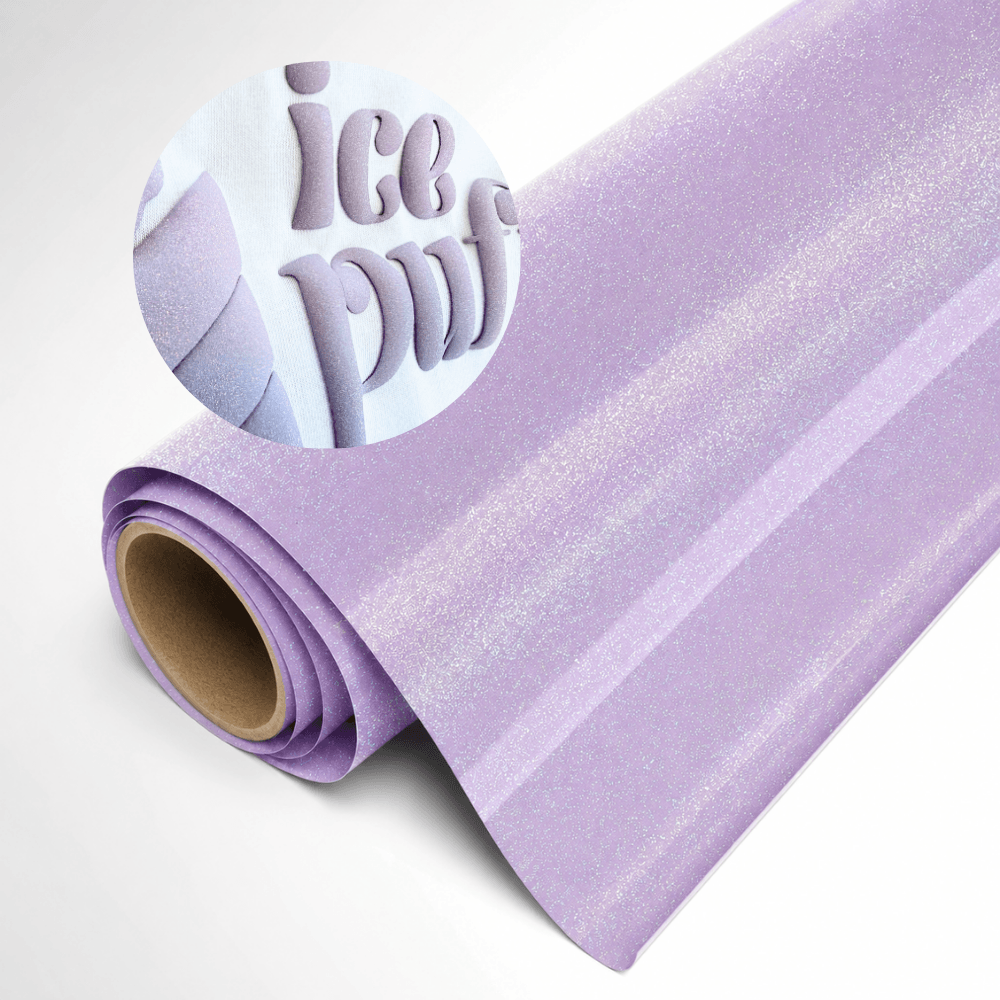
Soft Lilac
A subtle, romantic pastel purple infused with violet and silver glitter particles. Perfect for spring fashion, kids’ apparel, and delicate typography.
Order Now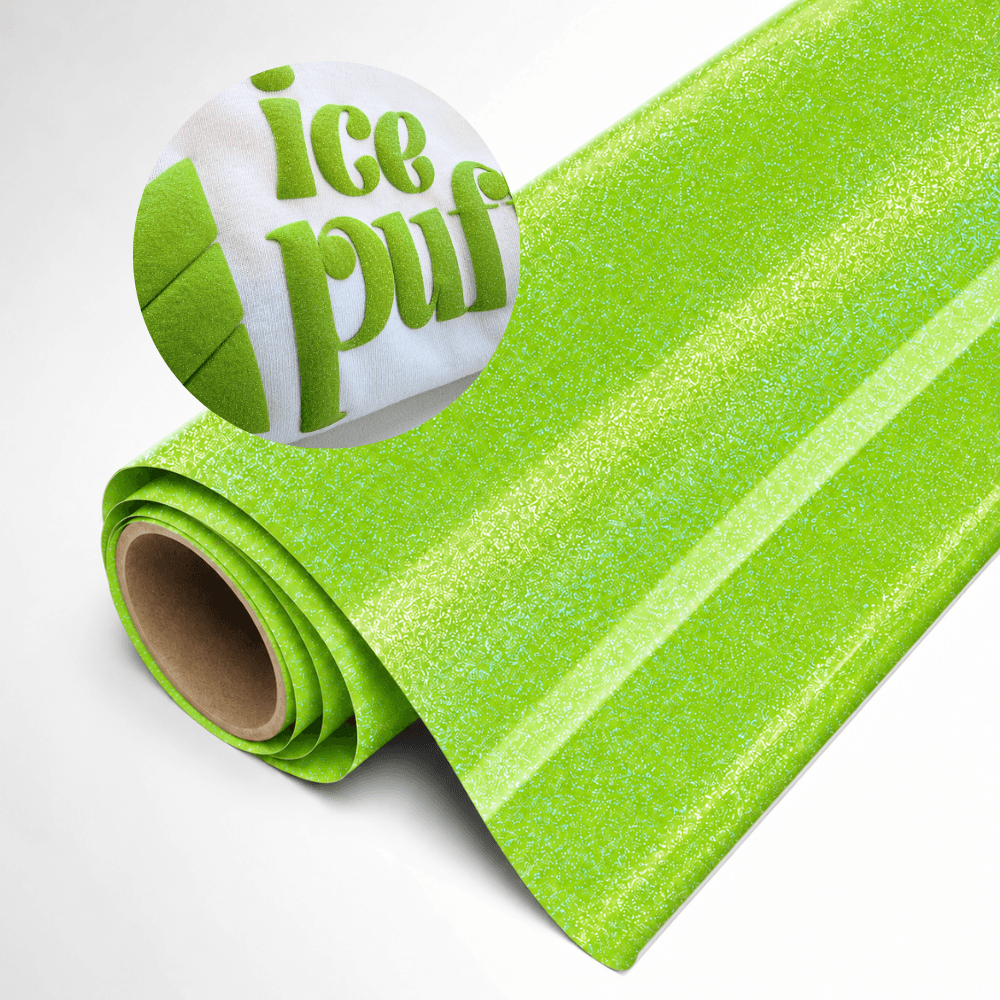
Lime Green
Vibrant, bold, and energetic! This electric lime shade pops right off the garment with dramatic 3D expansion and shimmering gold-green accents.
Order Now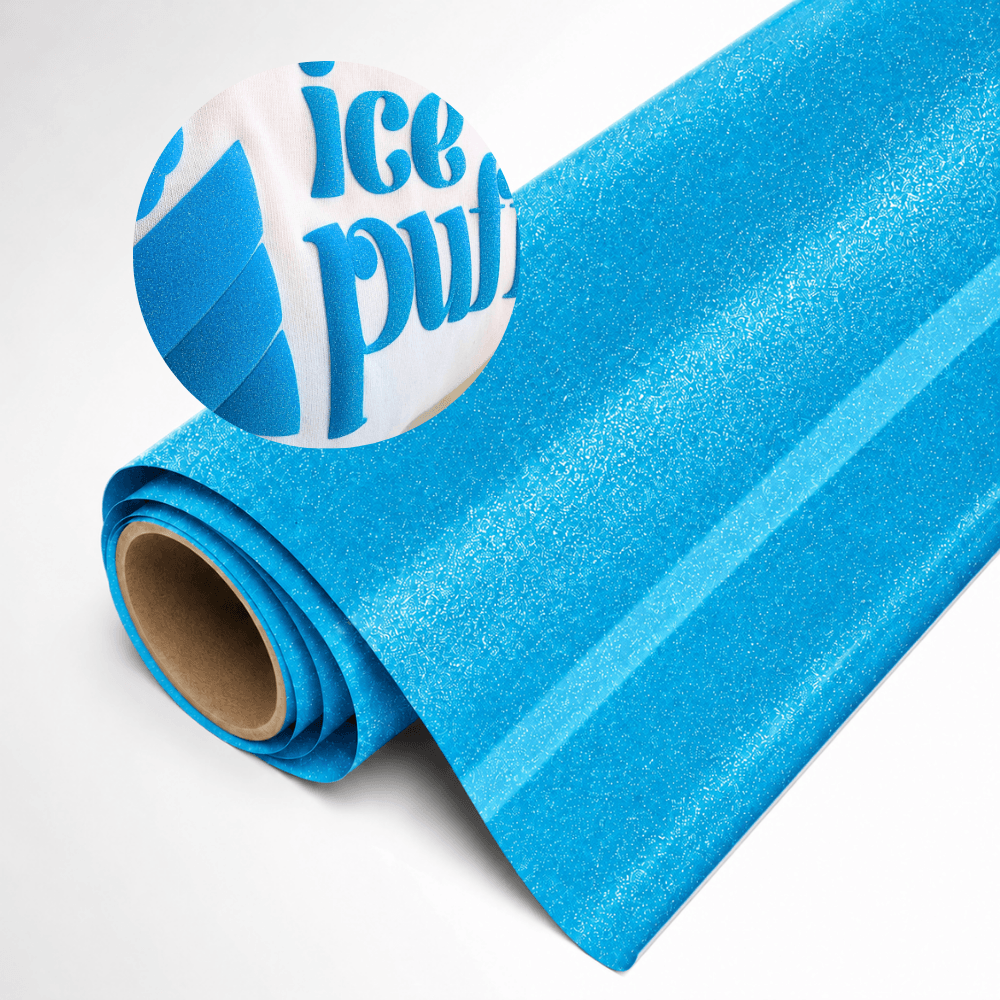
Ocean Blue
Deep, captivating, and shimmering like ocean waters. The rich blue base paired with turquoise glitter makes it an absolute favorite for streetwear and hoodies.
Order Now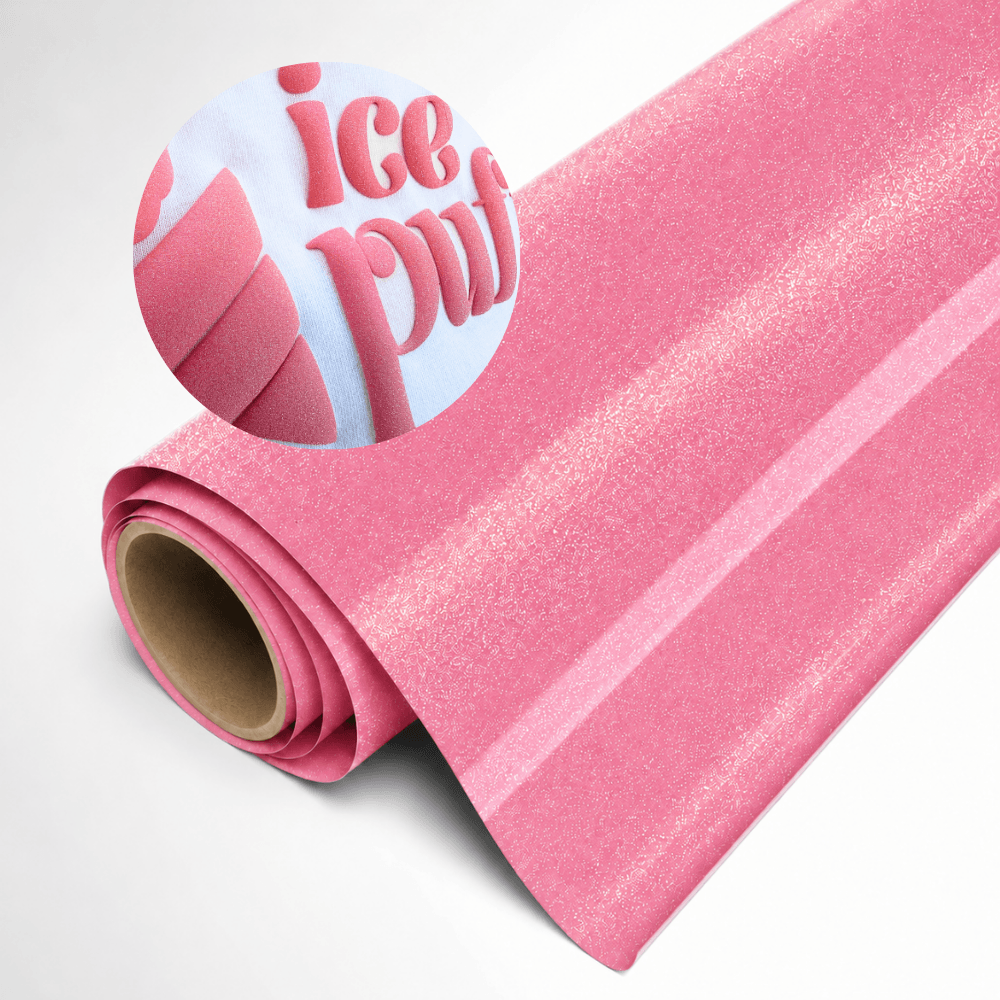
Blush Pink
Elegant, warm, and sophisticated. Blush Pink features a delicate rose undertone with a rich gold-pink shimmer — ideal for lifestyle apparel and bridal projects.
Order Now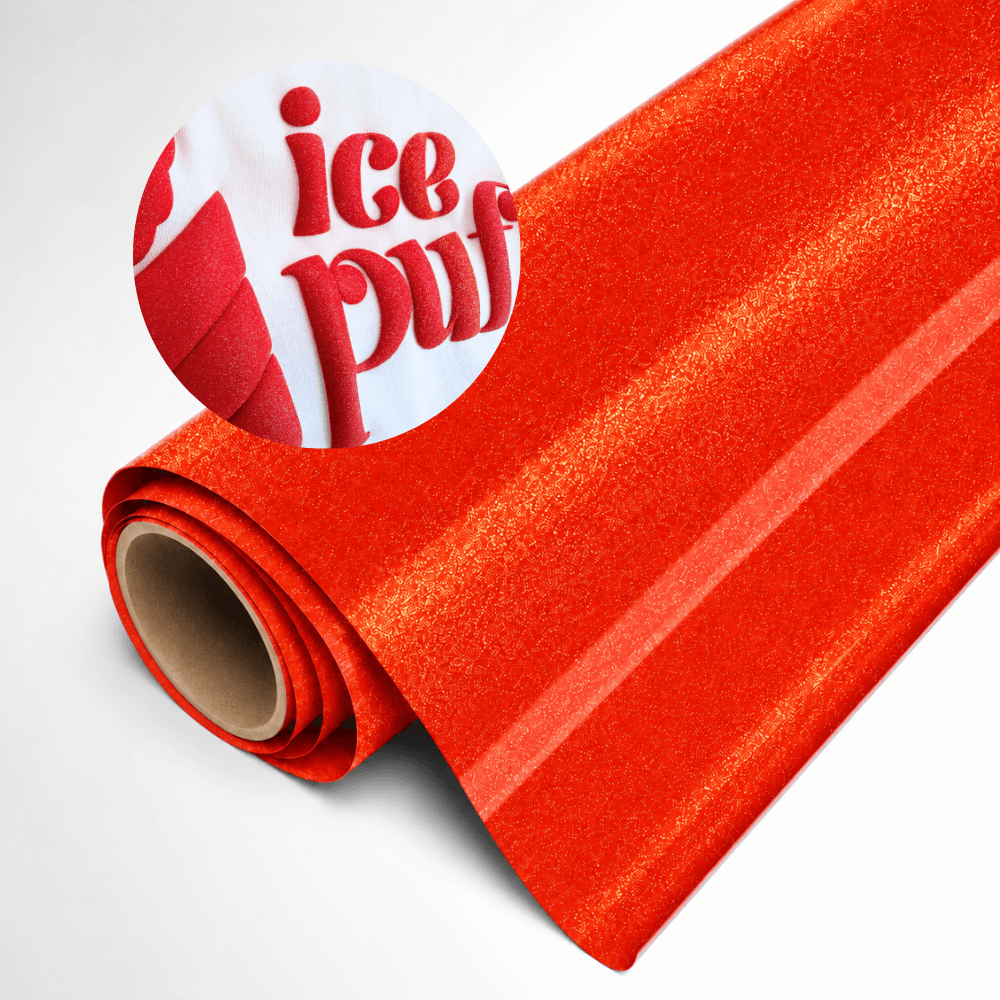
Sunset Red
Fiery, intense, and high-impact. Sunset Red brings the warmth of a sunset to your designs with deep crimson base tones and sparkling highlights.
Order Now3. Required Tools & Equipment
We offer MagiCut Puff Glitter in 5 curated, trend-forward shades designed to elevate your custom apparel projects:
- MagiCut Puff Glitter HTV (in your color of choice)
- Vinyl Cutting Plotter (e.g., Cricut Maker/Explore, Silhouette Cameo, or Siser Juliet/Romeo)
- Weeding Hook / Tool
- Heat Press Machine (Note: A home iron is not recommended as it cannot supply the uniform pressure required for even 3D expansion)
- Teflon Sheet or Parchment Paper
- Compatible Garment (100% Cotton, Poly/Cotton Blends, or 100% Polyester)
4. Step-by-Step Application Guide
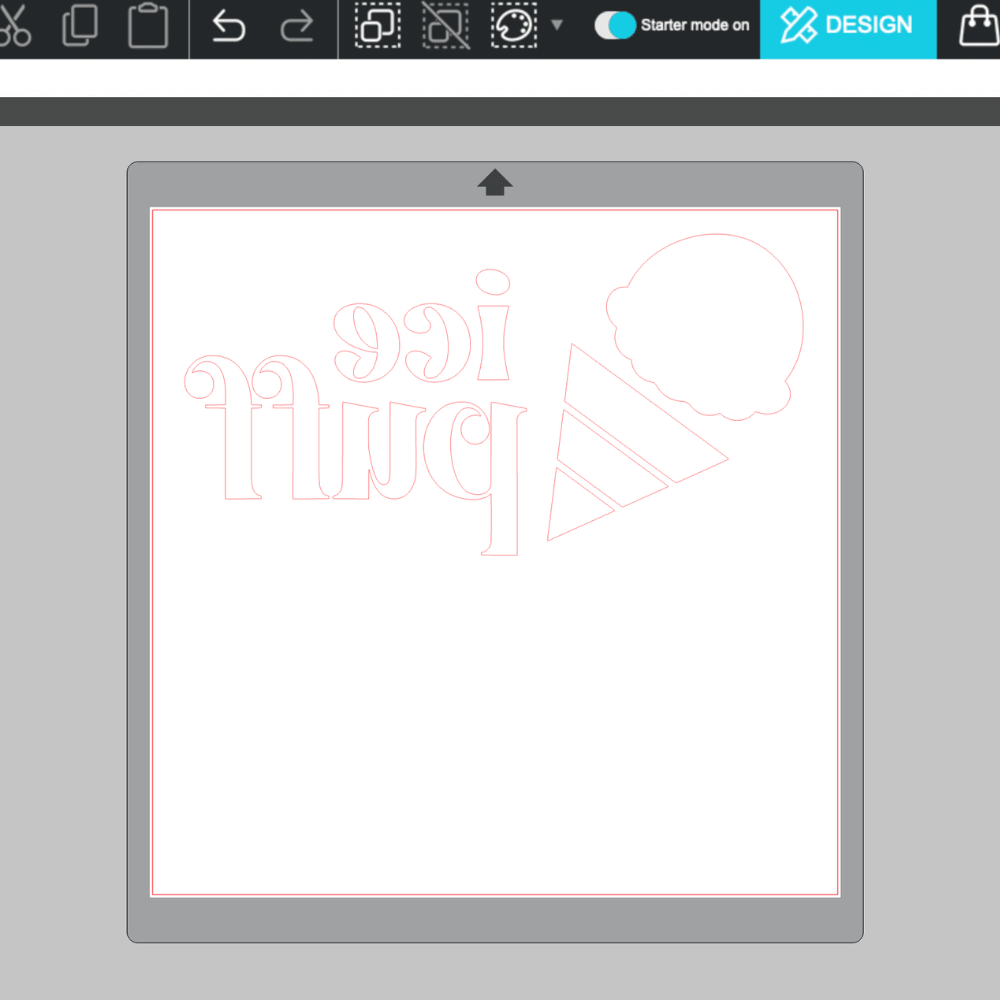
Step 1: Design & Mirror
Design using thicker lines and medium-to-large typography. Because the vinyl expands in all directions during pressing, extremely fine lines or tight negative space can close up.
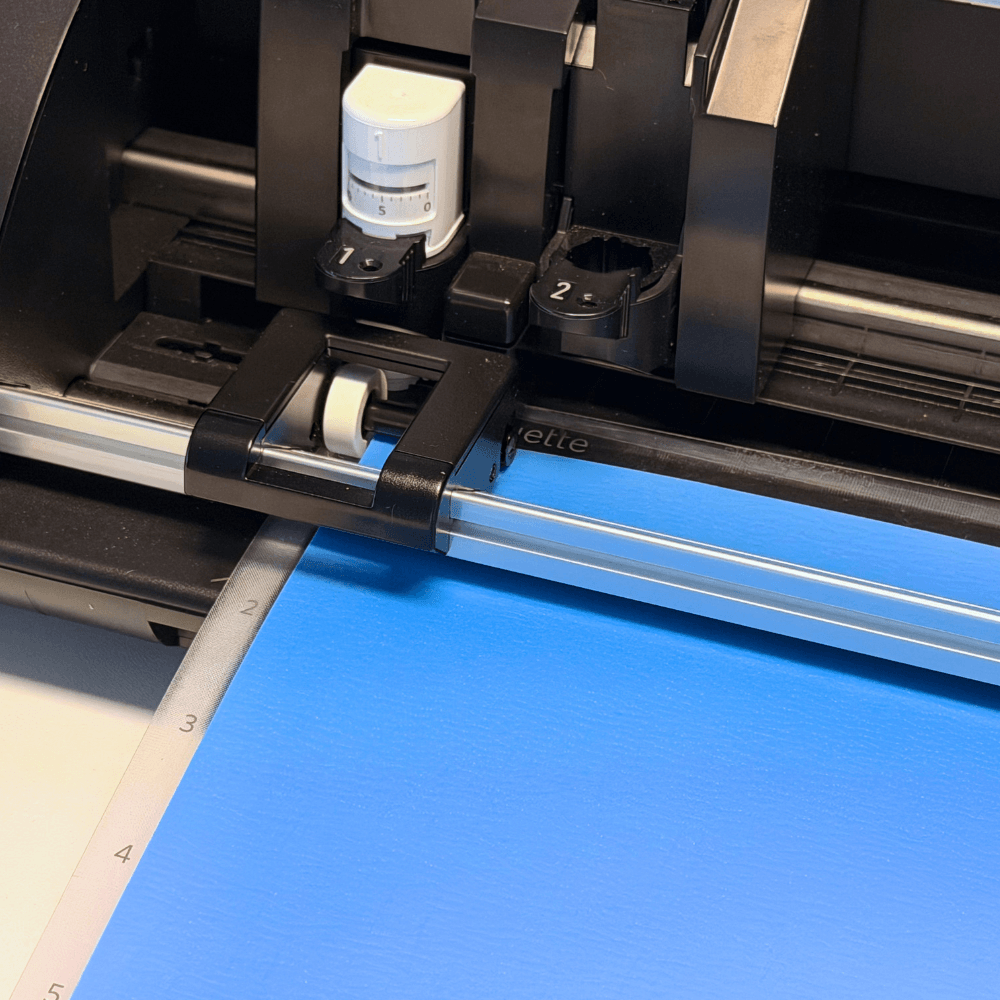
Step 2: Load & Cut Material
Place the MagiCut Puff Glitter sheet onto your cutting mat with the shiny carrier sheet side facing DOWN. The matte back side is the cutting surface.
Step 3: Weed Excess Material
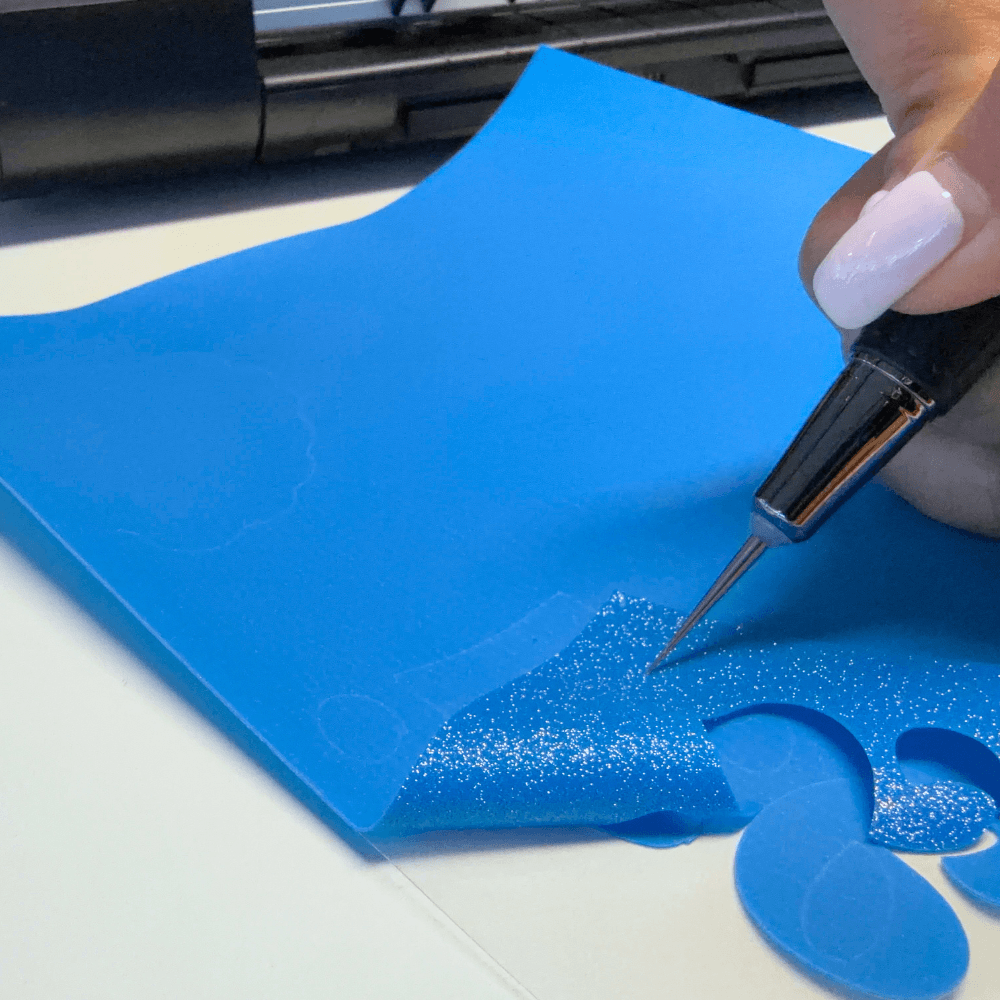
Use a fine weeding tool to remove the excess vinyl surrounding your logo or text. The sticky carrier backing keeps intricate details securely in place.
Step 4: Pre-Press Your Garment
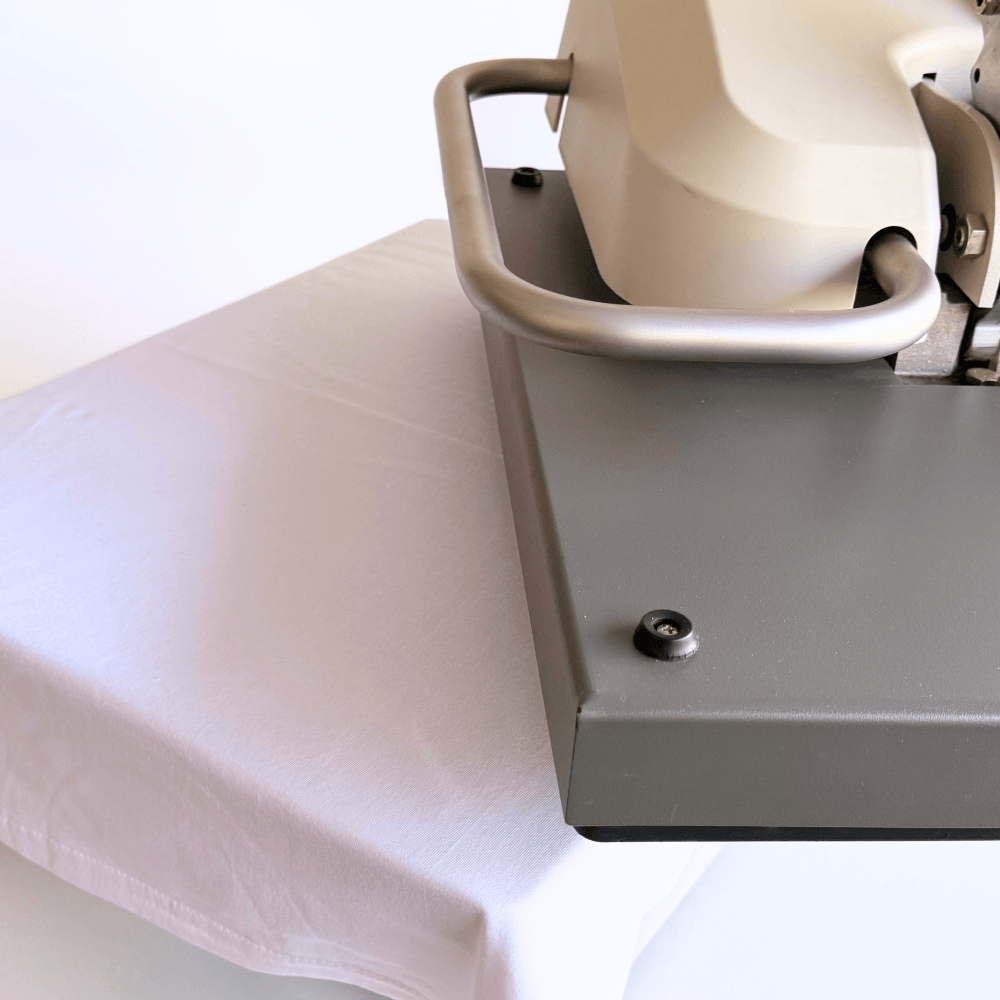
Set your heat press to 140°C – 150°C (285°F – 300°F) with Medium Pressure. Pre-press the blank garment for 3 to 5 seconds to eliminate moisture and wrinkles.
Step 5: Press & Expand
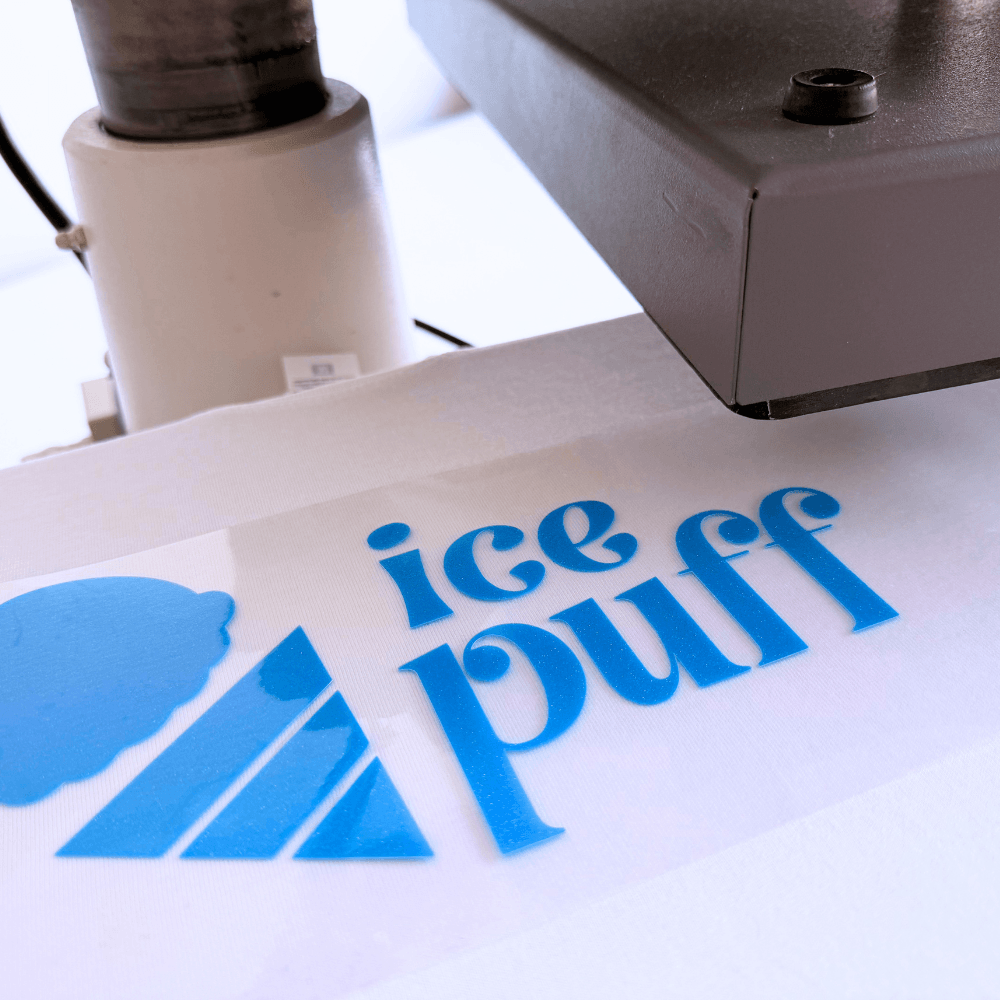
Position your weeded design onto the garment and cover it with a Teflon sheet or parchment paper.
Step 6: Warm Peel
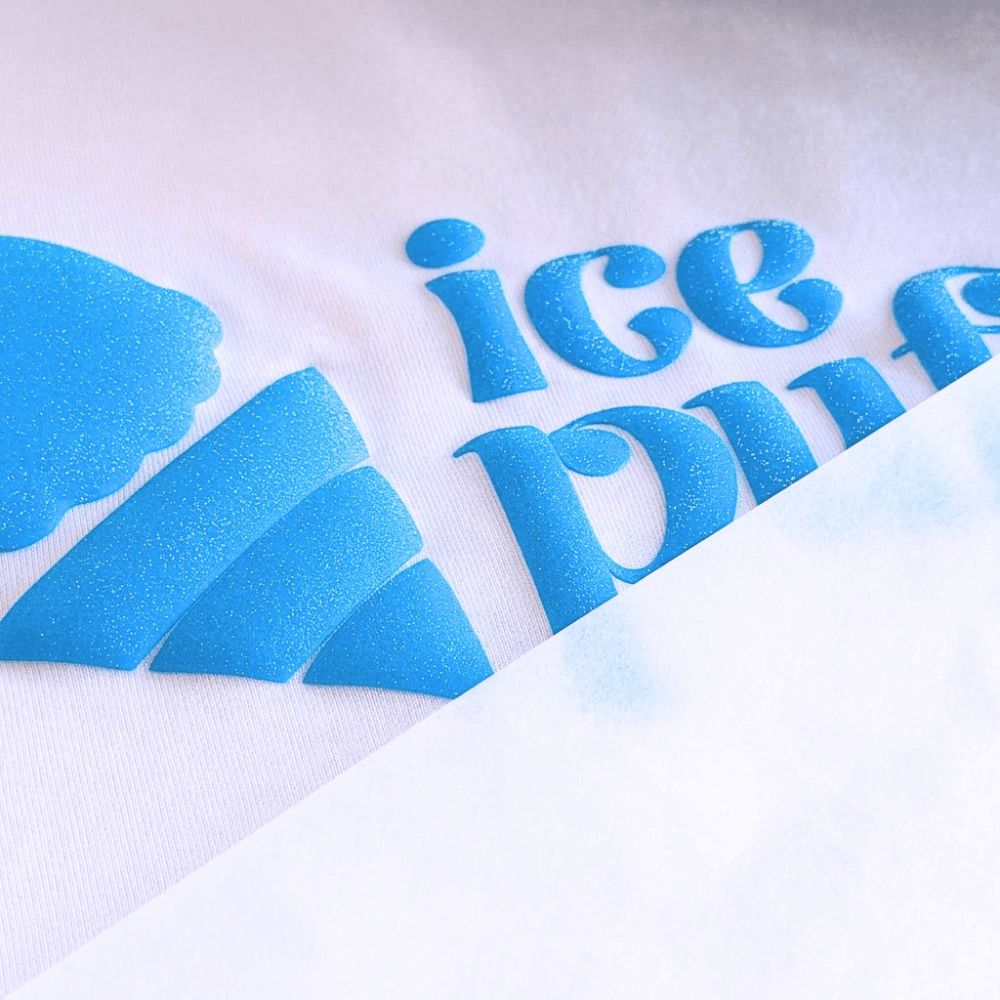
Open the press and gently peel away the clear carrier sheet while it is still warm/lukewarm. Watch your flat vinyl immediately swell into a soft, tactile 3D glitter creation!
5. Cut Settings by Plotter
Because MagiCut Puff Glitter contains embedded glitter flakes and expanding compounds, slightly higher force settings are required compared to standard thin flex:
| Cutting Plotter | Blade Type | Material Setting | Cut Pressure / Force | Speed |
|---|---|---|---|---|
| Cricut | Premium Fine Point | Everyday IronOn / Glitter Iron-Me | More | Standard |
| Silhouette Cameo | Autoblade (Depth 3) | Heat Transfer, Glitter / Flocked | 18-22 | 5-8 |
| Siser Juliet / Romeo | 45° Blade | Easy Puff / Custom Glitter Setting | 10-15 | 10-15 |
Pro Tip: Always perform a small test cut (a 1×1 cm square) on a scrap piece of vinyl to ensure clean cuts through the vinyl layer without cutting into the clear backing carrier.
6. Frequently Asked Questions & Pro Tips
Can I press MagiCut Puff Glitter multiple times?
No. Unlike regular HTV, puff vinyl should ideally be applied in a single press cycle. Pressing the vinyl a second time can flatten or compromise the 3D expanded structure.
Can I layer MagiCut Puff Glitter on top of other HTV?
It is not recommended to press other vinyl layers on top of expanded 3D Puff Glitter. If you want a multi-color design, use the knockout method in your design software so colors sit flush against each other rather than overlapping.
Garment Care & Washing Instructions:
Wait at least 24 hours after pressing before the first wash.
Turn the garment inside out before washing.
Machine wash on cool/warm settings (max 30°C – 40°C / 85°F – 105°F).
Do not use bleach or harsh fabric softeners.
Tumble dry on low or hang dry. Never iron directly over the 3D puff design.
 4.8
4.8